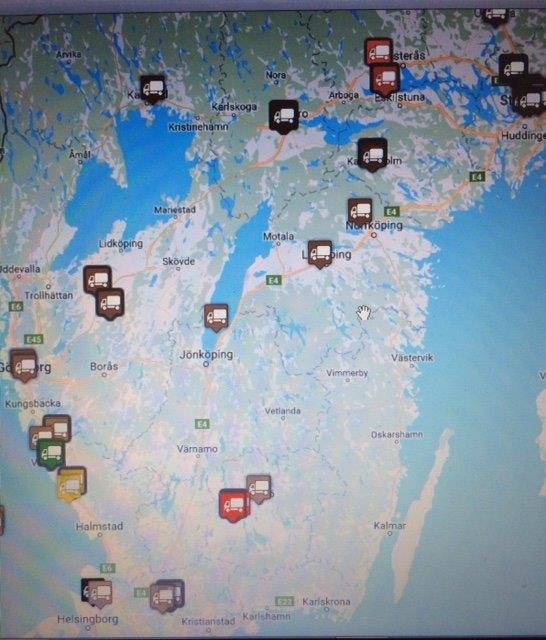
To keep track of where all the flatbeds and hedges are, we have now begun the process of tagging (marking) them. Over the course of a few intense weeks this summer, we conducted an inventory and tagged the flak. As of this writing, approximately 70% of the flatbed trailers and 50% of the swap body trailers have been tagged. The Hallstahammar hedges have also begun to be marked. The system works well, and on the map, the administrator can track how flatbeds and trailers appear as the units’ positions are scanned in.
The process is simple: as a driver, you scan your location using an app when you park a flatbed truck or a trailer. This allows MANTUM to keep track of where the flatbeds and trailers are located and easily allocate them to where they are needed most.
Download the app*
Go to Google Play* and download “setPOS X” from GPSLogik AB.
Launch the app, delete “0000,” type “mantdriver,” and tap OK.
Next, enter your name, email address, and phone number in the wizard. An email will then be sent automatically to the administrator, who will approve you as a user.
*Note: Currently, the app is only available for Android. Coming soon to the iPhone as well.
Scan the positions on the “tiles”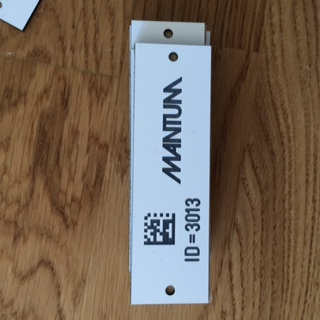
When you are ready to scan the position, press “SCAN” and then “SEND.”
(You can also scan multiple items and then press “SEND,” and they’ll all be sent at once.) However, make sure the app has detected the locations before you scan; this ensures that the locations are saved correctly and the administrator can see the devices on the map.
Do you have any questions?
Please contact Anna Sindberg at MANTUM at 0340-54 55 05

